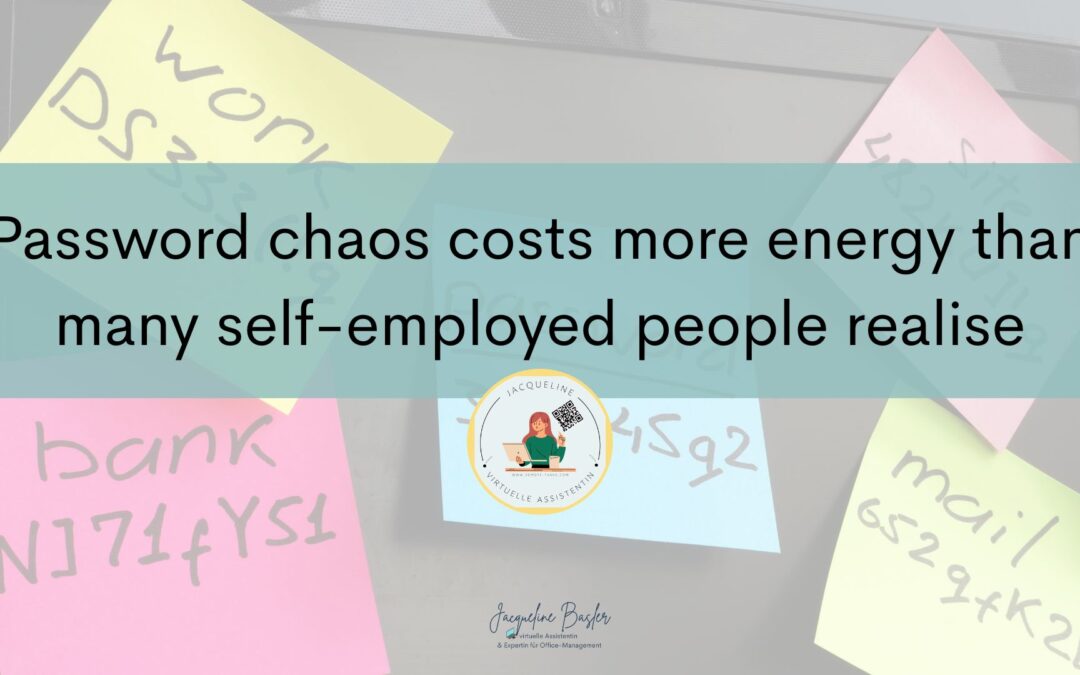
Password chaos often seems harmless in everyday life – until it starts draining your energy day after day
Most self-employed people don’t really give their passwords much thought for a surprisingly long time. Not because they don’t care about security, but because the issue rarely seems urgent enough. As long as you can log in somehow, everything works fine.
And that’s exactly why, over time, these typical little workarounds crop up: the same password is used multiple times. Login details are saved somewhere in the browser. Some logins are jotted down in notes, others in emails, and yet others you ‘just quickly’ memorise.
This often works for a surprisingly long time, until the moment when it suddenly becomes a hassle.
You want to quickly access a tool and the password no longer works. You reset it, but immediately forget where you’ve saved the new one. Or you find yourself searching across different devices for a login you were sure you’d saved somewhere.
Taken individually, these are all minor issues, but it’s precisely these minor issues that constantly disrupt your focus. And eventually, this leads to something that many self-employed people underestimate: a constant sense of mental unease in the background.
That feeling that, organisationally speaking, there’s always something left unfinished somewhere.
Most people don’t have a password problem – they have a system problem
When it comes to password managers, many people think first and foremost of security. Of course, security plays an important role. But in everyday life, it’s often about something quite different: the lack of a working system.
I see similar situations time and time again with clients, and to be honest, it’s hardly surprising.
Self-employed people today work with an incredible number of tools:
-
- Email providers
- Accounting software
- Social media
- Newsletter tools
- Canva
- Website logins
- Online banking
- Customer platforms
- Appointment booking systems
You can quickly end up with dozens or even hundreds of logins; without a clear system, things inevitably become confusing.
The problem is rarely a lack of organisation. Most people simply improvise for years – until they realise just how much energy this chaos actually costs them behind the scenes.
Why browsers aren’t a good long-term solution
Many people simply use the password managers in Google Chrome or Safari, and of course they seem handy at first.
The browser asks if you want to save the password and then fills it in automatically later. For basic use, this often works quite well. The problem usually only becomes apparent later on. For example, when you’re working across different devices. Or if you suddenly need support in your business and want to share access securely. Or if you realise that you’ve actually lost track of which passwords you’ve saved where.
What’s more, whilst browsers are convenient, they weren’t designed to organise your entire password management neatly in the long term; self-employed people in particular often need more than just an automatic login.
You need:
-
- a central overview
- secure sharing
- clear structures
- access across different devices
- and a system that grows with your business
That’s exactly what password managers are designed for.
How a good password manager really changes your day-to-day life
Above all, a password manager changes your day-to-day life, because suddenly many of those little, constant interruptions disappear.
You no longer have to rack your brains trying to remember which password you used back then. You no longer have to search for login details amongst old notes or emails. And you don’t have to keep resetting passwords just because you’d saved them somewhere, but not where you’re currently looking.
A good password manager takes care of precisely these little irritations, and that often makes a much bigger difference than many expect. Especially as your business grows. Because the more tools, platforms and processes you add, the more important it becomes to have a structure you can rely on. A password manager not only ensures greater security, but above all greater peace of mind.
You know:
-
- where your login details are
- that your passwords are secure
- that you can find them at any time
- and that you don’t have to constantly improvise
It is precisely this last point that is often underestimated.
After all, many self-employed people spend a surprising amount of mental energy trying to keep organisational matters together somehow.
Which password manager might be right for you
There are now many good password managers available. There is usually no such thing as the ‘perfect’ solution. What’s far more important is that you use a system that works for you in the long term.
I’ve been using 1Password for quite some time now, both personally and professionally. I find the ability to share passwords securely particularly handy – for example, within the family or later on within a team.
Many people also use Bitwarden, especially if they’re looking for an affordable or open-source solution. Others prefer heylogin because it’s particularly straightforward. Ultimately, the tool you use is less important.
What’s more important is that you:
- stop improvising everything
- use secure passwords
- organise your logins centrally
- and don’t have to constantly worry about logins in your day-to-day life
I’ve already written an article comparing these options, so feel free to have a read: “Creating secure passwords – Why a password manager is indispensable!”
Why many people still put it off for years
Password management is one of those typical tasks that almost everyone ‘wants to tackle properly’ at some point, yet it often goes undone for months or even years.
Not because people are lazy, but because password chaos rarely causes major problems straight away. It’s just a constant minor annoyance, which is precisely why it keeps getting put off.
On top of that, many believe they suddenly have to organise their entire digital life perfectly. Yet often, a simple first step is all it takes.
Because once a password manager is set up, relief usually sets in very quickly. It is only then that many realise how much energy was previously constantly being drained by minor organisational disruptions.
Conclusion: A password manager doesn’t just ensure security – it gives you peace of mind
Most self-employed people don’t need a complicated security plan, but they do need a system they can rely on, because password chaos doesn’t just cost time in everyday life. It costs focus. It costs energy. And it constantly creates little interruptions that drain your energy unnecessarily.
A password manager therefore doesn’t just solve a technical problem; it makes running your business feel easier.
Less searching. Less improvising. Fewer mental tabs open.
And that’s what a digital back office is really all about in the end – not perfect order. But ensuring that your business doesn’t unnecessarily slow you down.
If you’re currently looking to build your digital back office step by step, you can also find my article here on why a lack of structure behind the scenes often costs far more energy than many people realise.
And if you’d like some support with this, I’ll guide you through setting up these very basics properly with ‘Back-Office in a Box’ – without technical chaos and without complicated systems.



About the author
I am Jacqueline, a self-employed virtual assistant, family manager and until recently a student on a distance learning Bachelor of International Management program.
During my time as an executive assistant, I realized that I like planning, organizing and structuring and that I have a talent for making other people’s lives “administratively” easier.
My mission as a VA is to give my clients more freedom, ease and time through my support – for a better work-life balance!
I am structured and organized and always have a smile on my face. I can familiarize myself with new software and systems very quickly and not only think about processes, but also like to develop them further (with you).
If you would like to know more about my background and my WORK – LIFE – BALANCE, please have a look at the page That’s me!over